Model Context Protocol: The Universal Port for AI Tools
MCP turned the N×M integration problem into N+M. Here's how the protocol works under the hood.
Key takeaways
- MCP is an open protocol, introduced by Anthropic in November 2024, that standardizes how AI applications connect to tools and data.
- It turns an N×M integration problem (every app × every tool) into N+M.
- Servers expose three primitives — tools, resources and prompts — over JSON-RPC 2.0.
- Transports include local stdio and Streamable HTTP for remote servers, with OAuth-based authorization.
- Treat every MCP server as code with access to your systems: least privilege, review and human approval still apply.
Large language models are only as useful as what they can reach. A model that can read your tickets, query your database and update your docs is far more valuable than one that can only chat. Before late 2024, every one of those connections was a bespoke integration. The Model Context Protocol (MCP) changed that by giving the industry a common plug.
The N×M problem
Imagine five AI applications (a chat app, an IDE assistant, a coding agent, a support bot, an internal copilot) and twenty systems (GitHub, Slack, Postgres, Jira, Google Drive, and so on). Without a standard, someone has to build up to 5 × 20 = 100 integrations, each with its own auth, schemas and quirks.
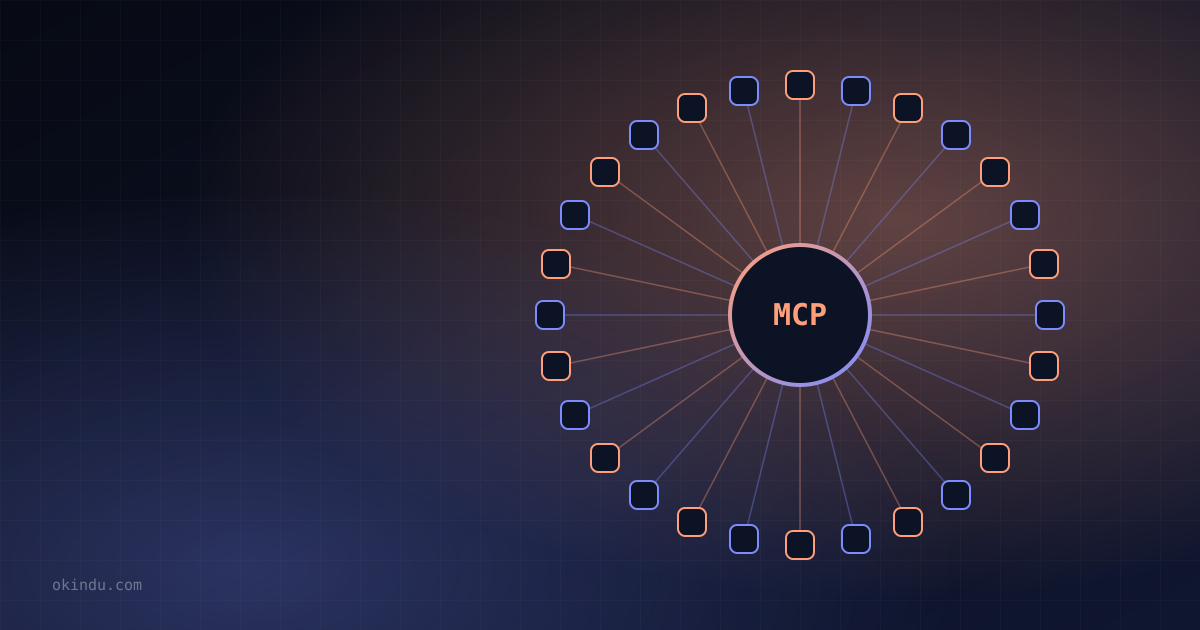
MCP defines one protocol. Each application implements an MCP client once; each system is exposed by an MCP server once. Now it's 5 + 20 = 25 pieces of work, and any client can talk to any server. People often compare it to USB-C: one port, many devices.
Architecture: hosts, clients and servers
- Host — the AI application the user interacts with, such as Claude's apps, Claude Code, an IDE or a custom agent. It manages the model and the user's permissions.
- Client — a connector inside the host that maintains a 1:1 session with one server.
- Server — a program that exposes capabilities from some system: files, a database, an API, a browser.
All messages use JSON-RPC 2.0. A session starts with an initialize handshake in which client and server negotiate a protocol version and declare their capabilities.
The three server primitives
| Primitive | Controlled by | What it is |
|---|---|---|
| Tools | The model | Functions the model can decide to call, each with a name, description and JSON Schema for inputs. Example: create_issue. |
| Resources | The application | Read-only data addressed by URI that the host can attach as context. Example: a file or table schema. |
| Prompts | The user | Reusable prompt templates, often surfaced as slash commands. |
Clients can also offer capabilities back to servers — for example sampling (letting a server request a model completion through the host) and elicitation (letting a server ask the user for structured input).
What goes over the wire
Here is the shape of a tool discovery and invocation exchange:
// client → server: what tools do you have?
{"jsonrpc": "2.0", "id": 1, "method": "tools/list"}
// server → client
{"jsonrpc": "2.0", "id": 1, "result": {"tools": [{
"name": "get_forecast",
"description": "Get the weather forecast for a city",
"inputSchema": {"type": "object",
"properties": {"city": {"type": "string"}},
"required": ["city"]}
}]}}
// later, the model decides to call it
{"jsonrpc": "2.0", "id": 2, "method": "tools/call",
"params": {"name": "get_forecast", "arguments": {"city": "Colombo"}}}
{"jsonrpc": "2.0", "id": 2, "result": {
"content": [{"type": "text", "text": "31°C, afternoon thunderstorms"}],
"isError": false}}The host passes the tool list to the model as tool definitions. When the model emits a tool call, the host routes it to the right client, which sends tools/call to the server, and the result is returned to the model as a tool result.
Writing a server in a few lines
The official SDKs (Python, TypeScript and others) hide the protocol details. With the Python SDK's FastMCP helper, a function's type hints and docstring become the tool's schema and description:
from mcp.server.fastmcp import FastMCP
mcp = FastMCP("weather")
@mcp.tool()
def get_forecast(city: str) -> str:
"""Get the weather forecast for a city."""
# call your real weather API here
return f"Forecast for {city}: 31°C, afternoon thunderstorms"
if __name__ == "__main__":
mcp.run() # stdio transport by defaultRegister the script in an MCP-capable host and the model can call get_forecast immediately.
Transports and authorization
- stdio — the host launches the server as a local subprocess and exchanges messages over standard input/output. Simple and private, ideal for developer tools.
- Streamable HTTP — the server runs remotely behind an HTTPS endpoint, with optional server-sent events for streaming. This is how SaaS vendors offer hosted MCP servers.
For remote servers, the specification builds on OAuth 2.1, so users grant scoped access through a standard consent flow instead of pasting long-lived API keys into configuration files.
Adoption
After Anthropic open-sourced MCP in November 2024, adoption spread quickly. OpenAI, Google and Microsoft added MCP support to their agent tooling during 2025; IDEs, developer platforms and thousands of community servers followed. Governance has since moved to a neutral open-source foundation under the Linux Foundation, alongside other agent standards.
Security: powerful plugs need care
An MCP server is code running with access to real systems, and tool outputs flow straight into a model's context. Teams should treat them accordingly:
- Least privilege — scope tokens narrowly; prefer read-only servers when write access isn't needed.
- Prompt injection — content returned by a tool (a web page, an email, a ticket) can contain instructions. Hosts should treat tool output as data, not commands.
- Human approval — require confirmation for destructive or outward-facing actions.
- Supply chain — install servers from trusted sources, pin versions and review what they do.